A Small Angular PWA Starter for GitHub Pages
Every few months I get an itch to build a small utility, calculator, or lightweight hobby app for my phone. Whenever I do, I usually want three simple things:
- Write it with Angular and TypeScript.
- Host it on GitHub Pages for zero maintenance and zero hosting cost.
- Make it an installable Progressive Web App (PWA) so I can add it to my phone’s home screen and open it offline.
In theory, that should take ten minutes to bootstrap. In practice, there is always a small pile of repetitive plumbing you have to solve from scratch:
- Wiring up
@angular/service-workerandmanifest.webmanifest. - Handling the GitHub Pages subpath base href (
/<repo-name>/) dynamically instead of hardcoding URLs. - Setting up a
404.htmlfallback so deep links and page refreshes don’t break under client-side routing. - Adding a basic mobile-first CSS baseline with safe areas, touch targets, and overflow guards.
- Wiring up GitHub Actions workflows, linting, formatting, and tests.
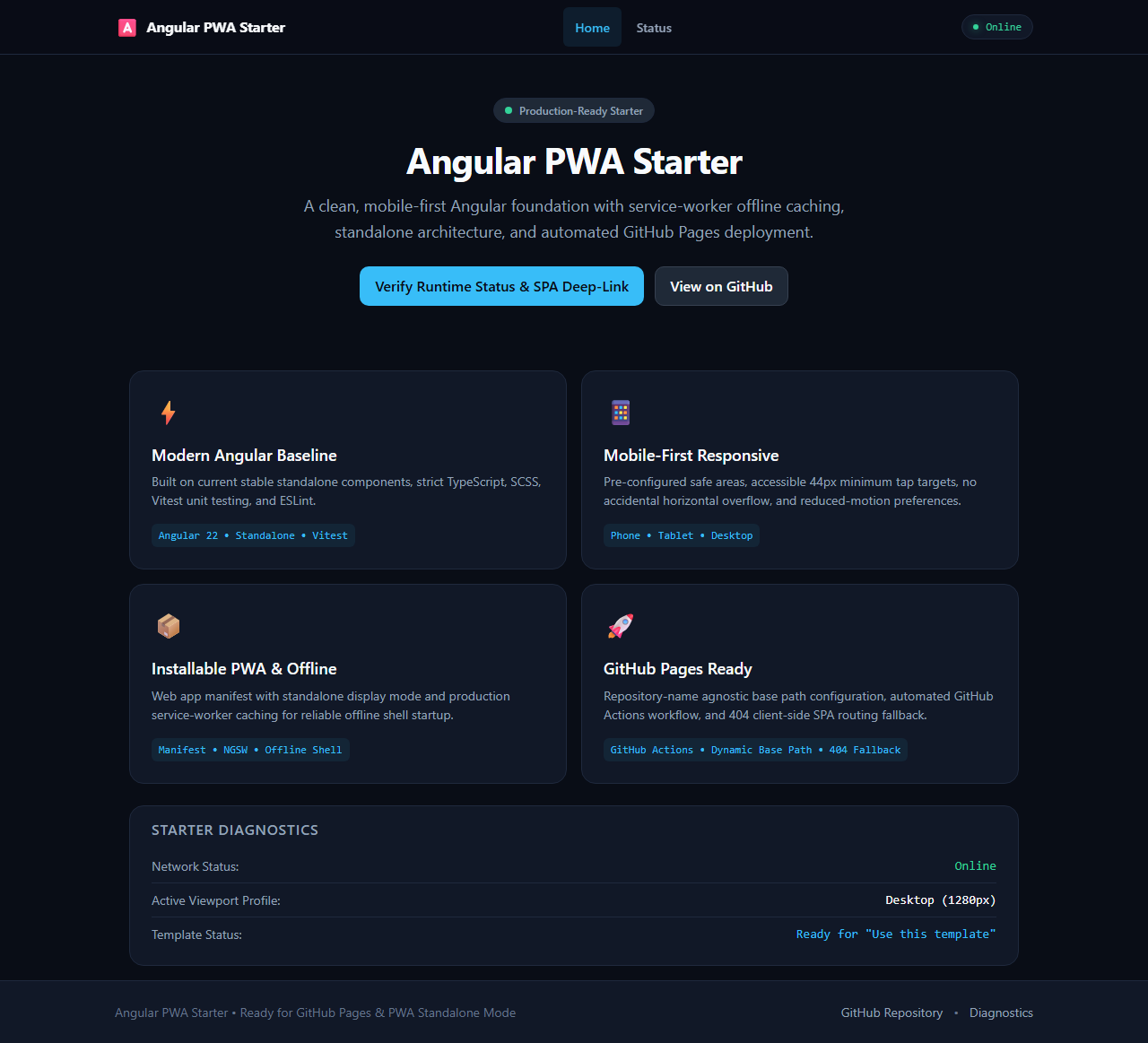
To save myself from re-doing that setup every time, I put together a reusable GitHub template repository: angular-pwa-starter. You can check out the live demo here.
What’s in the box
Nothing fancy or bloated—just the minimum needed to get an Angular PWA running properly on GitHub Pages:
- Current Angular Baseline: Angular 22 standalone components, strict TypeScript, SCSS, and native Vitest unit tests.
- Installable PWA & Offline Shell: Pre-configured
@angular/service-worker(ngsw-config.json) and Web App Manifest (display: standalone) so the production shell launches offline immediately. - Mobile-First CSS Foundation: A modest
styles.scssreset coveringbox-sizing, safe-area insets (env(safe-area-inset-*)), touch targets at 44px minimum, visible keyboard focus rings, and protection against accidental horizontal overflow. - Repository-Name Agnostic Deployment: The GitHub Actions workflow (
deploy.yml) usesactions/configure-pagesto dynamically pull the repository name and pass--base-href /<repo-name>/to the build. You don’t have to change scripts or configs when you create a new repo. - Client-Side SPA Routing Fallback: A tiny post-build script duplicates
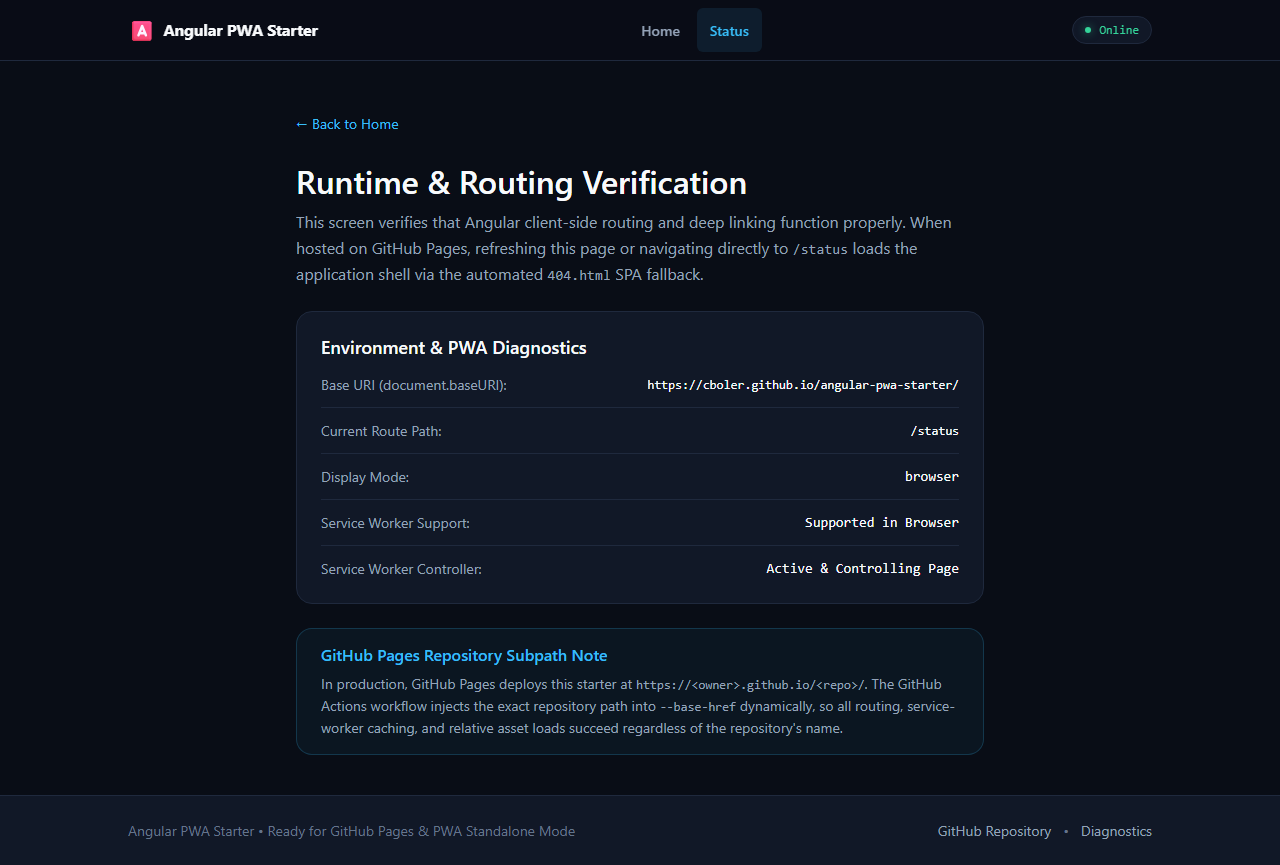
dist/browser/index.htmltodist/browser/404.html. Direct navigation or page refreshes on client-side routes (like/status) seamlessly load the application. - Quality Gates & Smoke Tests: Angular ESLint, Prettier, Gitleaks secret scanning, and a 4-viewport Playwright smoke suite (phone portrait, phone landscape, tablet, desktop) that runs headlessly in CI.
- A Minimal Placeholder Screen: A clean dark-mode shell that proves the starter is alive, checks connectivity status, and provides a secondary route to verify routing and diagnostics.
The One Gotcha: GitHub Pages Settings
If you spin up a new project using the “Use this template” button on GitHub, there is one important caveat to remember:
GitHub template repositories do not inherit Pages configuration from the template.
GitHub intentionally leaves Pages disabled on newly generated repositories. If you just click “Use this template” and push your code, the deployment workflow won’t be permitted to deploy until you flip one switch.
Once you create your new repository, you need to do this one-time setup:
- Go to your new repository on GitHub.
- Click Settings → Pages.
- Under Build and deployment > Source, select GitHub Actions.

From that point on, pushing to main will automatically build your app, verify tests, and publish your PWA to https://<your-username>.github.io/<your-repo>/.
How I Use It
When I have an idea for a quick weekend toy:
- Click “Use this template” on
cboler/angular-pwa-starter. - Name the repo and clone it.
- Toggle the Pages source to GitHub Actions in repository settings.
- Run
npm ci && npm start. - Swap out the starter title in
src/index.htmlandsrc/app/app.ts, throw my own components intosrc/app/, and replace the icons inpublic/icons/. - Push to
main.
It won’t win any design awards on its own, but having the boring deployment, PWA plumbing, and mobile viewport quirks out of the way before writing line one is remarkably pleasant.